The Future of Online Assessments and Proctoring Technologies
Discover the future of online assessments and proctoring technologies. Ensuring integrity in digital evaluations.
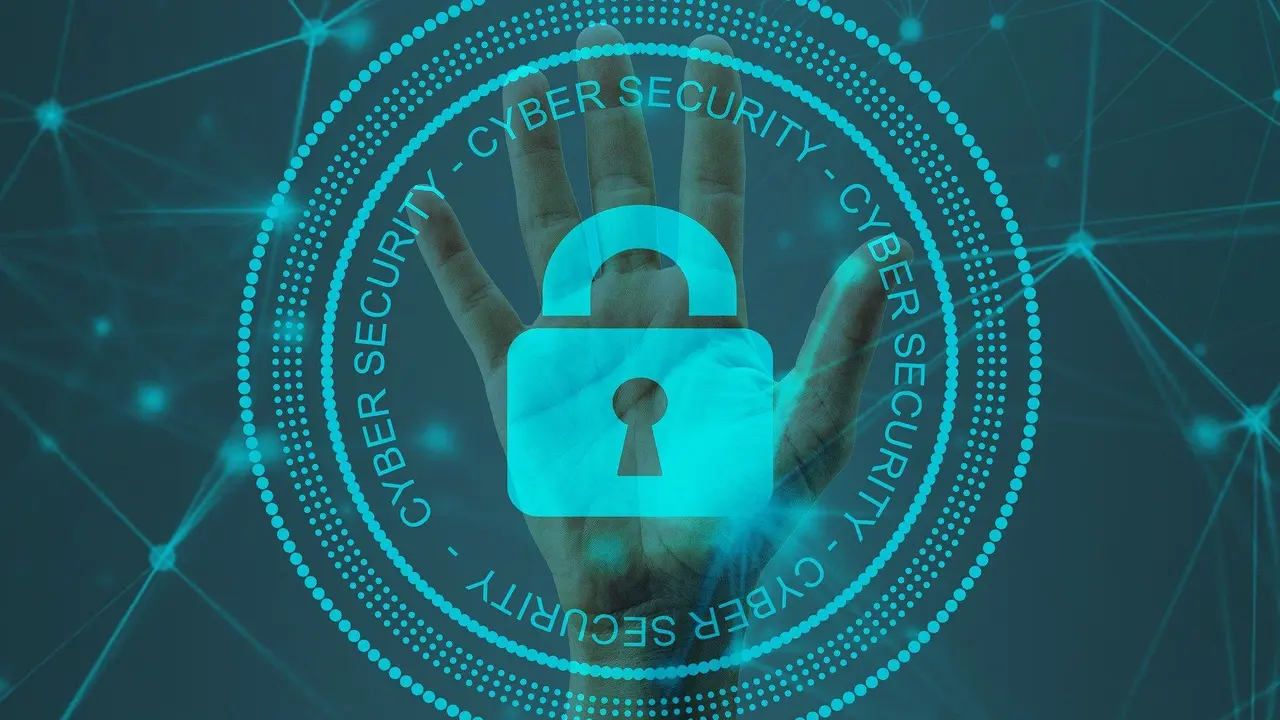
Discover the future of online assessments and proctoring technologies. Ensuring integrity in digital evaluations.
The Future of Online Assessments and Proctoring Technologies
Hey everyone! Let's dive into something super important for anyone involved in online learning, whether you're a student, an educator, or just curious about how digital education is evolving: the future of online assessments and proctoring technologies. We're talking about how we make sure tests taken online are fair, secure, and truly reflect what someone knows. It's a big topic, and it's constantly changing, so let's break it down.
Online learning has exploded, especially in recent years, and with that growth comes the challenge of maintaining academic integrity. How do you know the person taking the exam is actually the student registered for the course? How do you prevent cheating when everyone is in their own space? That's where online assessments and proctoring come in. They're designed to replicate the security of a traditional exam hall in a virtual environment. But it's not just about catching cheaters; it's also about creating a reliable and trustworthy system for everyone.
We'll explore the different types of proctoring, the technologies making it all possible, and even some of the ethical considerations and future trends. So, buckle up!
Understanding Online Proctoring Types and Technologies
When we talk about online proctoring, it's not a one-size-fits-all solution. There are actually a few different approaches, each with its own set of technologies and implications. Let's look at the main types:
Live Online Proctoring Real Time Human Oversight
This is probably the closest you'll get to a traditional exam experience in an online setting. With live online proctoring, a human proctor monitors students in real-time through their webcam and microphone. They can see what's happening on the student's screen, hear any sounds, and even communicate with the student if something seems off. It's like having a virtual invigilator right there with you.
How it works:
- Students connect to a proctoring service before their exam.
- A proctor verifies their identity (usually with a photo ID).
- The proctor monitors the student's webcam feed, microphone, and screen activity throughout the exam.
- They can flag suspicious behavior, intervene if necessary, and even terminate the exam if rules are violated.
Pros: High level of security, human judgment can differentiate between genuine issues and suspicious behavior, immediate intervention possible.
Cons: Can be more expensive, requires scheduling, some students find it intrusive, privacy concerns.
Recorded Proctoring Reviewing Exam Sessions Later
Recorded proctoring is a bit different. Instead of a live human watching, the entire exam session (webcam, microphone, screen activity) is recorded. This recording is then reviewed by a proctor or AI software after the exam is completed. It's like having a security camera in the exam room, and someone watches the footage later.
How it works:
- Students launch the proctoring software before their exam.
- The software records their environment and screen.
- After the exam, the recording is analyzed for any anomalies or suspicious activities.
- A human proctor might then review flagged sections for a final decision.
Pros: More flexible for students (no scheduling required), generally less expensive than live proctoring, still offers a good level of security.
Cons: No real-time intervention, review process can take time, still raises privacy concerns.
Automated Proctoring AI Powered Monitoring
This is where artificial intelligence really shines. Automated proctoring uses AI algorithms to monitor student behavior during an exam. The AI can detect things like eye movements away from the screen, multiple faces in the room, unauthorized objects, or even suspicious sounds. It's like having a super-smart robot proctor that never blinks.
How it works:
- Students install and launch the AI proctoring software.
- The AI monitors webcam, microphone, and screen activity.
- It flags any suspicious behavior based on pre-defined rules and algorithms.
- Often, these flags are then reviewed by a human proctor for confirmation.
Pros: Highly scalable, available 24/7, cost-effective, consistent application of rules.
Cons: Can generate false positives (e.g., a pet walking by), some students find it impersonal, potential for algorithmic bias, privacy concerns.
Browser Lockdown Tools Securing the Exam Environment
Beyond just watching the student, many proctoring solutions also include browser lockdown features. These tools essentially turn the student's computer into a secure testing environment, preventing them from accessing other applications, websites, or even copying and pasting during the exam. It's like putting blinkers on their computer.
How it works:
- Students download and launch a specialized browser or extension.
- This browser restricts access to other applications, websites, and system functions.
- It ensures the student can only interact with the exam platform.
Pros: Prevents common forms of digital cheating, relatively easy to implement, enhances overall exam security.
Cons: Can sometimes interfere with legitimate computer functions, requires student cooperation for installation.
Leading Online Proctoring Products and Their Features
Okay, so now that we know the different types, let's talk about some of the big players in the online proctoring space. These companies offer various solutions, often combining several of the types we just discussed. Keep in mind that features and pricing can vary widely, and it's always best to get a custom quote for your specific needs.
ProctorU Comprehensive Live and Automated Proctoring
ProctorU is one of the most well-known names in online proctoring, offering a blend of live, recorded, and automated solutions. They're often used by universities and certification bodies for high-stakes exams.
Key Features:
- Live Proctoring: Human proctors monitor exams in real-time, providing a high level of security and immediate intervention.
- Automated Proctoring (ProctorU Live+): Combines AI monitoring with human review of flagged incidents, offering a balance of scalability and oversight.
- Identity Verification: Robust ID verification processes, including photo ID and facial recognition.
- Browser Lockdown: Secure browser environment to prevent access to unauthorized resources.
- Session Recording: All exam sessions are recorded for audit purposes.
- Scheduling Flexibility: Students can schedule exams 24/7, often with on-demand options.
- Integrations: Integrates with popular Learning Management Systems (LMS) like Canvas, Blackboard, Moodle, and D2L.
Use Cases: Ideal for universities, professional certification exams, and corporate training where high integrity is paramount.
Pricing: Typically ranges from $15 to $30+ per exam, depending on the level of proctoring (live vs. automated), exam duration, and institutional agreements. They usually offer institutional pricing models.
Proctortrack AI Powered and Live Proctoring Options
Proctortrack focuses heavily on AI-driven proctoring but also offers live proctoring options. They pride themselves on their advanced AI algorithms for detecting a wide range of suspicious behaviors.
Key Features:
- AI-Based Proctoring: Advanced AI monitors for eye movements, head movements, multiple faces, unauthorized objects, and more.
- Live Proctoring: Option for human proctors to monitor exams in real-time.
- Automated Proctoring with Human Review: AI flags incidents, which are then reviewed by human proctors for accuracy.
- Multi-Factor Authentication: Strong identity verification using facial recognition, ID scan, and sometimes even knuckle scans.
- Browser Lockdown: Prevents access to external applications and websites.
- Detailed Reporting: Provides comprehensive reports on student behavior and flagged incidents.
- Integrations: Seamless integration with major LMS platforms.
Use Cases: Universities, K-12 schools, and corporate training programs looking for scalable and robust AI-driven proctoring with human oversight.
Pricing: Similar to ProctorU, pricing is often institution-specific. Expect per-exam costs in the $10-$25 range, with bulk discounts available.
Honorlock On-Demand AI Proctoring with Human Review
Honorlock is known for its on-demand, AI-powered proctoring that includes human review. Their system is designed to be user-friendly and less intrusive while still maintaining high security.
Key Features:
- AI-Based Proctoring: Uses AI to detect suspicious behavior, including unauthorized devices, web searches, and external assistance.
- Human Review: When the AI flags something, a live proctor discreetly pops into the session to observe and intervene if necessary, without interrupting the student unless absolutely required.
- BrowserGuard: Their proprietary browser lockdown technology.
- Voice Detection: Can detect unauthorized voices in the room.
- Mobile Phone Detection: Can detect if a student is using a mobile phone during the exam.
- Accessibility Features: Designed with accessibility in mind for students with disabilities.
- Integrations: Strong integrations with popular LMS platforms.
Use Cases: Higher education institutions and corporate training environments that need a flexible, on-demand proctoring solution with a human touch.
Pricing: Generally offered through institutional contracts. Per-exam costs can range from $10-$20, depending on volume and features.
Respondus Monitor and LockDown Browser Securing the Exam Environment
Respondus offers two primary tools: LockDown Browser and Respondus Monitor. LockDown Browser is a browser lockdown tool, while Monitor adds automated webcam proctoring to the mix. They are often used together.
Key Features:
- LockDown Browser: A custom browser that locks down the testing environment, preventing access to other applications, printing, copying, or visiting other websites.
- Respondus Monitor: An automated proctoring solution that uses a webcam to record the student during the exam. AI flags suspicious behavior for later review by an instructor.
- Facial Detection: Verifies student identity and monitors for multiple faces.
- Environment Check: Prompts students to show their testing environment before the exam.
- Instructor Review: Instructors review flagged incidents and recordings.
- Integrations: Widely integrated with almost all major LMS platforms.
Use Cases: Very popular in K-12 and higher education for a wide range of exams, from quizzes to midterms. It's a good entry-level proctoring solution for many institutions.
Pricing: LockDown Browser is often included with LMS licenses or purchased institution-wide. Respondus Monitor is typically an add-on, with pricing often based on student enrollment or usage, potentially costing a few dollars per student per year or per exam.
Examity Customizable Proctoring Solutions
Examity provides a highly customizable suite of proctoring solutions, including live, recorded, and automated options. They emphasize flexibility and tailoring their services to specific institutional needs.
Key Features:
- Live Proctoring: Real-time human monitoring for high-stakes exams.
- Recorded Proctoring: Sessions are recorded and reviewed by proctors post-exam.
- Automated Proctoring: AI-driven monitoring with human review.
- Identity Verification: Multiple layers of ID verification.
- Browser Lockdown: Secure testing environment.
- White-Glove Service: Often provides dedicated account managers and support.
- Global Reach: Offers proctoring services in multiple languages and time zones.
Use Cases: Large universities, corporate training, and professional certification bodies that require highly customized and scalable proctoring solutions.
Pricing: Due to its customizable nature, pricing is almost exclusively based on institutional contracts and specific requirements. It can be on the higher end for comprehensive services.
The Evolution of Online Assessments Beyond Proctoring
While proctoring is super important for maintaining integrity, the future of online assessments isn't just about watching students. It's also about designing better, more authentic assessments that are inherently harder to cheat on and truly measure learning outcomes. This is where things get really interesting!
Authentic Assessments and Project Based Learning
Instead of just multiple-choice questions, imagine assessments that require students to apply their knowledge in real-world scenarios. Think about projects, case studies, simulations, and portfolios. These types of assessments are much harder to cheat on because they require critical thinking, creativity, and synthesis of information, not just recall.
Keywords: Project based learning, authentic assessment, performance assessment, real world application, critical thinking skills.
Adaptive Testing Personalized and Dynamic Exams
Adaptive testing uses algorithms to adjust the difficulty of questions based on a student's performance. If a student answers correctly, the next question might be harder; if they answer incorrectly, it might be easier. This creates a personalized exam experience that's more efficient and provides a more precise measure of a student's ability. It also makes it harder to share answers because everyone's exam is unique.
Keywords: Adaptive learning, personalized assessment, dynamic testing, item response theory, individualized learning paths.
AI Powered Feedback and Grading Instant Insights
AI isn't just for proctoring; it's also transforming how assessments are graded and how students receive feedback. AI can now grade essays, code, and even complex problem-solving tasks, providing instant feedback to students. This not only saves educators time but also helps students learn faster by getting immediate insights into their performance.
Keywords: AI grading, automated feedback, intelligent tutoring systems, natural language processing, formative assessment.
Blockchain for Secure Credentials and Verifiable Achievements
Imagine a world where your academic achievements and certifications are stored on a secure, tamper-proof blockchain. This technology could revolutionize how credentials are issued, verified, and shared, making it much harder to fake degrees or certifications. It adds an extra layer of trust and transparency to online education.
Keywords: Blockchain in education, digital credentials, verifiable certificates, academic integrity, distributed ledger technology.
Ethical Considerations and Student Privacy in Proctoring
Okay, let's be real. While proctoring is necessary, it also brings up some serious ethical questions and privacy concerns. Students often feel uncomfortable being monitored, and there are legitimate worries about data security and algorithmic bias.
Privacy Concerns Data Collection and Storage
When you're being recorded via webcam and microphone, a lot of personal data is being collected. Where is this data stored? Who has access to it? How long is it kept? These are all valid questions that institutions and proctoring companies need to address transparently. Students have a right to know how their data is being handled.
Keywords: Data privacy, GDPR compliance, FERPA compliance, data security, personal information protection.
Algorithmic Bias Fairness and Accuracy
AI algorithms are only as good as the data they're trained on. If the training data is biased, the AI can perpetuate or even amplify those biases. This could lead to certain groups of students being unfairly flagged for suspicious behavior. Ensuring fairness and accuracy in AI proctoring is a huge challenge and an ongoing area of research.
Keywords: Algorithmic bias, AI ethics, fairness in AI, machine learning bias, equitable assessment.
Accessibility for Students with Disabilities Inclusive Design
Online proctoring systems need to be accessible to all students, including those with disabilities. This means considering things like screen readers, alternative input methods, and accommodations for different learning needs. A system that works for one student might be a barrier for another.
Keywords: Accessibility in education, inclusive design, ADA compliance, universal design for learning, assistive technologies.
Student Stress and Anxiety Mental Well-being
Let's face it, taking an exam is already stressful. Adding the layer of being constantly monitored, whether by a human or AI, can significantly increase student anxiety. Institutions need to balance security with student well-being and communicate clearly about how proctoring works to alleviate some of that stress.
Keywords: Student well-being, mental health in education, exam anxiety, stress management, supportive learning environment.
Future Trends and Innovations in Online Assessments
So, what's next? The field of online assessments and proctoring is constantly evolving. Here are some exciting trends we can expect to see more of:
Biometric Authentication Beyond Passwords
We're already seeing facial recognition, but imagine more advanced biometrics like voice recognition, keystroke dynamics, or even eye-tracking patterns being used for continuous identity verification throughout an exam. This could make it even harder for someone else to take an exam on behalf of a student.
Keywords: Biometric security, continuous authentication, voice recognition, keystroke dynamics, advanced identity verification.
Virtual Reality and Immersive Assessment Experiences
Imagine taking an exam in a virtual reality environment where you have to solve problems in a simulated lab or interact with virtual patients. This could create highly engaging and authentic assessment experiences that are also inherently secure because the environment is controlled.
Keywords: Virtual reality in education, immersive learning, VR assessments, simulated environments, experiential learning.
AI Driven Anomaly Detection Proactive Security
Future AI proctoring systems will likely become even more sophisticated, moving beyond just flagging suspicious behavior to proactively identifying patterns that indicate a higher risk of cheating. This could involve analyzing a student's historical performance, their interaction with course materials, and even their typing speed during an exam.
Keywords: AI anomaly detection, predictive analytics, proactive security, machine learning in assessment, data driven insights.
Open Book and Open Web Exams Redefining Assessment
Instead of trying to prevent students from accessing information, some educators are embracing open-book and open-web exams. The focus shifts from memorization to critical thinking, analysis, and application of knowledge. If students can look up information, the questions need to be designed to assess higher-order thinking skills, making cheating on simple recall questions irrelevant.
Keywords: Open book exams, open web assessments, higher order thinking, critical analysis, information literacy.
Integrated Learning and Assessment Platforms Seamless Experience
We'll likely see a greater integration of learning content, assessment tools, and proctoring solutions into single, seamless platforms. This will create a more cohesive experience for students and educators, making it easier to manage courses and ensure academic integrity.
Keywords: Integrated learning platforms, seamless education experience, unified learning environment, educational technology integration, holistic assessment.
So, there you have it! The world of online assessments and proctoring is complex, constantly evolving, and full of both challenges and exciting possibilities. It's a balancing act between security, privacy, and creating a fair and effective learning environment for everyone. As technology continues to advance, we can expect even more innovative solutions to emerge, pushing the boundaries of what's possible in digital education.
Keep learning, keep questioning, and stay tuned for what's next!
:max_bytes(150000):strip_icc()/277019-baked-pork-chops-with-cream-of-mushroom-soup-DDMFS-beauty-4x3-BG-7505-5762b731cf30447d9cbbbbbf387beafa.jpg)