Overcoming Procrastination in Online Education Practical Tips
Practical tips for overcoming procrastination in online education. Stay on track with your studies and achieve your goals.
Practical tips for overcoming procrastination in online education. Stay on track with your studies and achieve your goals. We've all been there, staring at a blank screen, the cursor blinking mockingly, while a looming deadline whispers threats in the back of our minds. Procrastination, that sneaky thief of time and productivity, is a particularly formidable foe in the realm of online education. Without the rigid structure of a traditional classroom or the watchful eye of an in-person instructor, it's all too easy to fall into the trap of 'I'll do it later.' But fear not, fellow online learners! This comprehensive guide is packed with practical, actionable tips to help you conquer procrastination, stay motivated, and ultimately, achieve your academic and skill development goals.
Understanding the Roots of Procrastination in Online Learning
Why Online Students Procrastinate Identifying the Core Issues
Before we can effectively combat procrastination, it's crucial to understand why it happens, especially in an online setting. Is it a lack of motivation? Fear of failure or success? Perfectionism? Or simply feeling overwhelmed by the sheer volume of work? For many online learners, the flexibility that makes online education so appealing can also be its biggest pitfall. The absence of fixed schedules, the comfort of home, and the endless distractions of the internet create a perfect storm for putting things off. Common reasons include:- Lack of Structure and Accountability: Unlike traditional classes, online courses often lack immediate, external pressure.
- Feeling Overwhelmed: Large assignments or complex topics can seem daunting, leading to avoidance.
- Perfectionism: The desire to do something perfectly can prevent starting at all.
- Fear of Failure: Avoiding a task means avoiding the possibility of not succeeding.
- Lack of Interest or Relevance: If you don't see the immediate value, it's harder to engage.
- Distractions: The internet, social media, household chores – the list is endless.
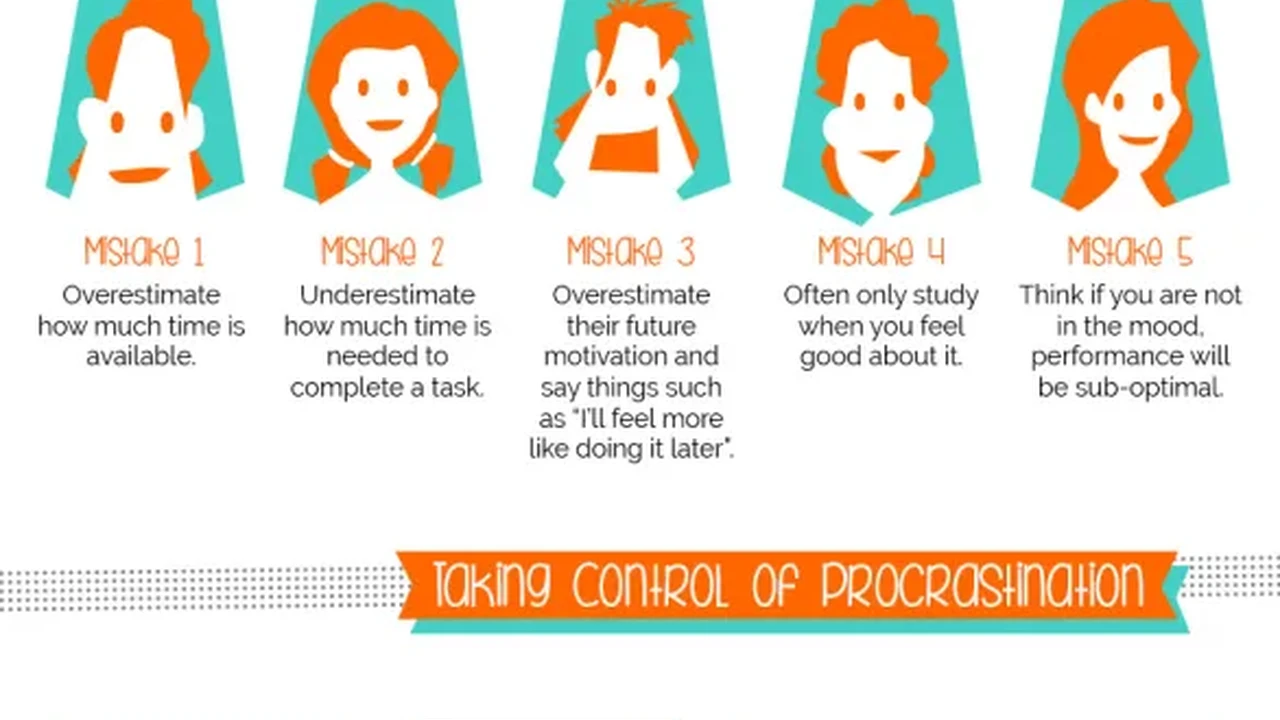
- Poor Time Management Skills: Underestimating task duration or overestimating free time.
Setting Yourself Up for Success Creating an Anti-Procrastination Environment
Optimizing Your Study Space The Ultimate Productivity Hub
Your physical environment plays a huge role in your ability to focus. For online learners, your study space is your classroom, library, and sometimes, your office. Make it a sanctuary for learning, free from distractions. This means:- Designate a Specific Study Area: Whether it's a desk in your bedroom or a corner of the living room, make it exclusively for studying.
- Keep it Tidy and Organized: A cluttered space often leads to a cluttered mind.
- Minimize Noise: Use noise-canceling headphones if necessary, or choose a quiet time of day.
- Ensure Good Lighting: Natural light is best, but a good desk lamp can prevent eye strain.
- Comfortable but Not Too Comfortable: A supportive chair is key, but avoid places that invite napping.
Digital Detox Strategies for Focused Online Learning
Digital distractions are arguably the biggest challenge for online students. Social media notifications, endless tabs, and the siren song of YouTube can derail even the most determined learner. Here's how to fight back:- Use Website Blockers: Tools like Freedom, Cold Turkey, or StayFocusd can temporarily block distracting websites and apps.
- Turn Off Notifications: Put your phone on silent or 'do not disturb' mode. Close unnecessary tabs on your computer.
- Log Out of Social Media: The extra step of logging in can be enough to deter impulsive checking.
- Use a Separate Browser Profile: Dedicate one browser profile solely for study-related tasks.
Mastering Your Schedule Effective Time Management for Online Students
The Power of Planning Structuring Your Online Study Week
Without a fixed schedule, you need to create your own. A well-structured plan is your best defense against procrastination. Think of yourself as your own project manager.- Create a Weekly Study Schedule: Block out specific times for each course or task. Treat these appointments as non-negotiable.
- Break Down Large Tasks: A 5,000-word essay seems less daunting when broken into smaller chunks: research, outline, draft introduction, draft body paragraph 1, etc.
- Prioritize Your Tasks: Use methods like the Eisenhower Matrix (Urgent/Important) to decide what needs your immediate attention.
- Set Realistic Deadlines: Don't just rely on the course deadline. Set earlier personal deadlines for each sub-task.
Time Blocking and the Pomodoro Technique Boosting Focus and Productivity
These two techniques are game-changers for many online learners:- Time Blocking: Allocate specific blocks of time for specific tasks. During that block, focus solely on that task. For example, '9:00 AM - 10:30 AM: Work on Marketing Assignment.'
- The Pomodoro Technique: Work for 25 minutes, then take a 5-minute break. After four 'Pomodoros,' take a longer break (15-30 minutes). This method helps maintain focus and prevents burnout.
Building Momentum and Staying Motivated Practical Strategies
Starting Small The Art of the Tiny Task
Often, the hardest part is just starting. If a task feels too big, break it down into the smallest possible step. Can you just open the document? Read the first paragraph? Write one sentence? The goal is to build momentum. Once you start, it's often easier to keep going.Reward Systems and Positive Reinforcement for Online Learning
Motivate yourself with rewards! After completing a challenging task or a study session, give yourself a small treat. This could be:- A short break to watch a YouTube video.
- A walk outside.
- A cup of your favorite coffee or tea.
- Listening to a favorite song.
Finding Your Why Reconnecting with Your Learning Goals
When motivation wanes, remind yourself why you started this online course or program in the first place. What are your long-term goals? How will this learning benefit your career, personal growth, or future? Keep a visual reminder of your goals near your study space.Leveraging Tools and Technology for Anti-Procrastination
Productivity Apps and Software Essential Tools for Online Students
There's a wealth of digital tools designed to help you stay organized and focused. Here are some highly recommended ones, along with their typical pricing and use cases:Task Management Tools Trello Asana Todoist
These tools help you visualize your workflow, break down projects, and track progress.- Trello: A visual project management tool that uses boards, lists, and cards. Great for organizing assignments, group projects, and personal tasks.
- Use Case: Create a board for each course, with lists for 'To Do,' 'In Progress,' and 'Done.' Each assignment is a card.
- Pricing: Free for basic use, Business Class ($10/user/month), Enterprise (custom pricing).
- Asana: More robust than Trello, suitable for complex projects and team collaboration.
- Use Case: Managing multiple courses, research projects, or even planning your entire academic year.
- Pricing: Basic (Free), Premium ($10.99/user/month), Business ($24.99/user/month).
- Todoist: A simple yet powerful to-do list app that helps you organize tasks, set reminders, and track habits.
- Use Case: Daily task management, setting recurring study reminders, and breaking down large assignments into actionable steps.
- Pricing: Free for basic, Pro ($4/month), Business ($6/user/month).
Focus Enhancing Apps Freedom Cold Turkey StayFocusd
These apps are designed to block distractions and help you concentrate.- Freedom: Blocks distracting websites and apps across all your devices. You can schedule sessions or start them on demand.
- Use Case: When you need deep work sessions without social media or news interruptions.
- Pricing: Free trial, then $6.99/month, $29/year, or $129 for a lifetime subscription.
- Cold Turkey: Similar to Freedom, offering robust blocking features for websites, applications, and even the entire internet.
- Use Case: For those who need a more aggressive approach to digital detox during study times.
- Pricing: Free for basic website blocking, Pro ($39 for lifetime license).
- StayFocusd (Chrome Extension): Limits your time on distracting websites. Once your allotted time is up, the sites are blocked for the rest of the day.
- Use Case: A lighter-weight option for managing specific website distractions directly within your browser.
- Pricing: Free.
Note-Taking and Organization Tools Notion Evernote OneNote
Keeping your notes and resources organized can prevent feeling overwhelmed.- Notion: An all-in-one workspace for notes, tasks, wikis, and databases. Highly customizable.
- Use Case: Creating a personal knowledge base for your courses, tracking assignments, project management, and even habit tracking.
- Pricing: Free for personal use, Personal Pro ($4/month), Team ($8/user/month).
- Evernote: A classic note-taking app that allows you to capture ideas, organize notes, and find information quickly.
- Use Case: Storing research articles, lecture notes, web clippings, and syncing them across devices.
- Pricing: Free for basic, Personal ($14.99/month), Professional ($17.99/month).
- OneNote (Microsoft): A digital notebook that allows free-form information gathering and multi-media notes.
- Use Case: Ideal for visual learners who like to draw, annotate PDFs, and organize notes by subject. Integrates well with other Microsoft products.
- Pricing: Free (part of Microsoft 365 or standalone).
Calendar and Scheduling Apps Google Calendar Outlook Calendar
Visualizing your schedule is crucial for time management.- Google Calendar: Easy to use, integrates with many other services, and accessible from anywhere.
- Use Case: Scheduling study blocks, assignment deadlines, virtual meetings, and personal appointments.
- Pricing: Free.
- Outlook Calendar: Similar functionality to Google Calendar, often preferred by those already in the Microsoft ecosystem.
- Use Case: Professional scheduling, integrating with email and contacts for a unified workflow.
- Pricing: Free (with Outlook.com account) or included with Microsoft 365 subscriptions.
Mindset Shifts and Self-Care Sustaining Your Anti-Procrastination Efforts
Embracing Imperfection The 'Done is Better Than Perfect' Philosophy
Perfectionism is a common cause of procrastination. The fear of not being able to do something perfectly can prevent you from starting at all. Remember, 'done is better than perfect.' Get a draft down, even if it's messy. You can always refine it later. The goal is progress, not immediate perfection.The Importance of Breaks and Self-Compassion Preventing Burnout
Pushing yourself too hard without breaks is a recipe for burnout and, ironically, more procrastination. Schedule regular breaks, get enough sleep, eat well, and engage in activities you enjoy. Be kind to yourself when you slip up; everyone procrastinates sometimes. Acknowledge it, learn from it, and get back on track.Accountability Partners and Study Groups Building a Support System
Online learning can sometimes feel isolating. Connecting with others can provide much-needed accountability and motivation.- Find an Accountability Partner: Someone who is also working on a goal. Check in with each other regularly to share progress and challenges.
- Join or Form a Study Group: Discussing course material with peers can clarify concepts and make learning more engaging.
- Utilize Course Forums: Engage with your instructors and classmates. Asking questions and participating can increase your sense of commitment.
:max_bytes(150000):strip_icc()/277019-baked-pork-chops-with-cream-of-mushroom-soup-DDMFS-beauty-4x3-BG-7505-5762b731cf30447d9cbbbbbf387beafa.jpg)